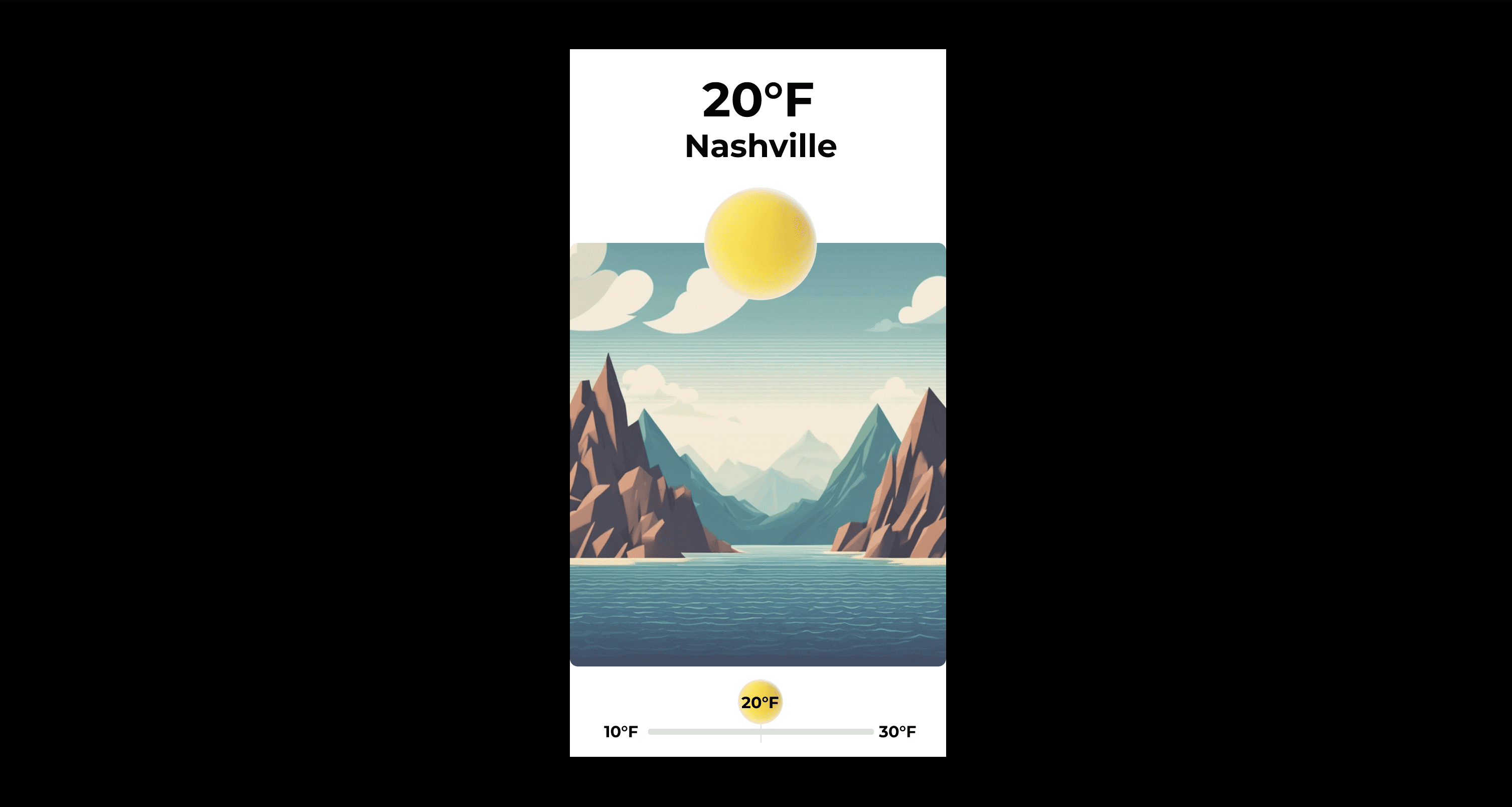
Weather App

This project aims to elevate the user experience of a chosen mobile application through innovative motion design. Utilizing Adobe After Effects, the initiative focuses on transforming static UI elements into dynamic, interactive components that not only engage users but also improve navigability and overall app usability. The end goal is to create a motion prototype that demonstrates effective user interaction and enhances the app's appeal to stakeholders.

Jun 12, 2023

CLIENT

Freelance

CLIENT

Freelance

CLIENT

Freelance

Role

UX Designer

Role

UX Designer

Role

UX Designer

Service

UX Design

Service

UX Design

Service

UX Design

Work Details

Work Details

Work Details


Project Overview

This project aims to elevate the user experience of a chosen mobile application through innovative motion design. Utilizing Adobe After Effects, the initiative focuses on transforming static UI elements into dynamic, interactive components that not only engage users but also improve navigability and overall app usability. The end goal is to create a motion prototype that demonstrates effective user interaction and enhances the app's appeal to stakeholders.

Target Audience

  • Demographic: The project primarily targets users aged 18-35, who are familiar with mobile technology and appreciate fluid, intuitive app interfaces.

  • Needs and Preferences: This demographic values quick, seamless interactions and visually appealing designs that enhance the functionality and enjoyment of app usage.

Creative Direction

  • Theme and Style: The motion design will be sleek and modern, reflecting current trends in UI/UX design. It will prioritize clarity and ease of use, ensuring that animations and transitions are not just visually appealing but also meaningful and functional.

  • Visual Continuity: Across all screens and interactions, a consistent visual language will be maintained, with colors, typography, and motion effects echoing the app's branding and design ethos.

  • Interaction Design: Focus will be on creating intuitive, engaging user interactions, with visual feedback for taps, swipes, and other gestures that reduce the learning curve and enhance user satisfaction.

Technical Specifications

  • Software: Adobe After Effects for motion prototyping.

  • Resolution and Composition Settings: Based on the most common mobile screen sizes, primarily 360x640 pixels, to ensure broad accessibility. The frame rate will be set to 30 fps to balance smooth motion and file size.

  • Animation Techniques: Use of keyframe interpolation, easing, masks, track mattes, and blending modes to create sophisticated animations that are both engaging and efficient.

  • File Formats: Final submission will include an animated GIF for easy sharing and review, along with the project file in Adobe After Effects format.

Schedule

  • Module 5: Finalize app selection and initial concept development. Begin work on creative brief and storyboards.

  • Module 6: Complete and submit the Creative Brief and Storyboards for review. Points available: 15 each.

  • Module 7: Finalize motion study and prepare all project deliverables for submission. Share final project (5 points).

Project Deliverables

  • Creative Brief: A document outlining the project goals, target audience, creative direction, and design requirements.

  • Storyboards: Visual representations of the planned motion design across key screens, illustrating user interactions and transitions.

  • Final Motion Study: An animated GIF showcasing the motion prototype, accompanied by the After Effects project file.

Creative Process

  • Research and Inspiration: Analyze current UI/UX trends and gather inspiration from leading apps to inform the design direction.

  • Sketching and Storyboarding: Develop initial sketches and storyboards to visualize the flow of user interactions and motion concepts.

  • Prototyping and Animation: Create detailed animations and transitions in After Effects, iteratively refining based on the storyboard and creative brief.

  • Testing and Refinement: Conduct informal user testing to gather feedback on the prototype's usability and aesthetic appeal, making adjustments as necessary.


Project Overview

This project aims to elevate the user experience of a chosen mobile application through innovative motion design. Utilizing Adobe After Effects, the initiative focuses on transforming static UI elements into dynamic, interactive components that not only engage users but also improve navigability and overall app usability. The end goal is to create a motion prototype that demonstrates effective user interaction and enhances the app's appeal to stakeholders.

Target Audience

  • Demographic: The project primarily targets users aged 18-35, who are familiar with mobile technology and appreciate fluid, intuitive app interfaces.

  • Needs and Preferences: This demographic values quick, seamless interactions and visually appealing designs that enhance the functionality and enjoyment of app usage.

Creative Direction

  • Theme and Style: The motion design will be sleek and modern, reflecting current trends in UI/UX design. It will prioritize clarity and ease of use, ensuring that animations and transitions are not just visually appealing but also meaningful and functional.

  • Visual Continuity: Across all screens and interactions, a consistent visual language will be maintained, with colors, typography, and motion effects echoing the app's branding and design ethos.

  • Interaction Design: Focus will be on creating intuitive, engaging user interactions, with visual feedback for taps, swipes, and other gestures that reduce the learning curve and enhance user satisfaction.

Technical Specifications

  • Software: Adobe After Effects for motion prototyping.

  • Resolution and Composition Settings: Based on the most common mobile screen sizes, primarily 360x640 pixels, to ensure broad accessibility. The frame rate will be set to 30 fps to balance smooth motion and file size.

  • Animation Techniques: Use of keyframe interpolation, easing, masks, track mattes, and blending modes to create sophisticated animations that are both engaging and efficient.

  • File Formats: Final submission will include an animated GIF for easy sharing and review, along with the project file in Adobe After Effects format.

Schedule

  • Module 5: Finalize app selection and initial concept development. Begin work on creative brief and storyboards.

  • Module 6: Complete and submit the Creative Brief and Storyboards for review. Points available: 15 each.

  • Module 7: Finalize motion study and prepare all project deliverables for submission. Share final project (5 points).

Project Deliverables

  • Creative Brief: A document outlining the project goals, target audience, creative direction, and design requirements.

  • Storyboards: Visual representations of the planned motion design across key screens, illustrating user interactions and transitions.

  • Final Motion Study: An animated GIF showcasing the motion prototype, accompanied by the After Effects project file.

Creative Process

  • Research and Inspiration: Analyze current UI/UX trends and gather inspiration from leading apps to inform the design direction.

  • Sketching and Storyboarding: Develop initial sketches and storyboards to visualize the flow of user interactions and motion concepts.

  • Prototyping and Animation: Create detailed animations and transitions in After Effects, iteratively refining based on the storyboard and creative brief.

  • Testing and Refinement: Conduct informal user testing to gather feedback on the prototype's usability and aesthetic appeal, making adjustments as necessary.


Project Overview

This project aims to elevate the user experience of a chosen mobile application through innovative motion design. Utilizing Adobe After Effects, the initiative focuses on transforming static UI elements into dynamic, interactive components that not only engage users but also improve navigability and overall app usability. The end goal is to create a motion prototype that demonstrates effective user interaction and enhances the app's appeal to stakeholders.

Target Audience

  • Demographic: The project primarily targets users aged 18-35, who are familiar with mobile technology and appreciate fluid, intuitive app interfaces.

  • Needs and Preferences: This demographic values quick, seamless interactions and visually appealing designs that enhance the functionality and enjoyment of app usage.

Creative Direction

  • Theme and Style: The motion design will be sleek and modern, reflecting current trends in UI/UX design. It will prioritize clarity and ease of use, ensuring that animations and transitions are not just visually appealing but also meaningful and functional.

  • Visual Continuity: Across all screens and interactions, a consistent visual language will be maintained, with colors, typography, and motion effects echoing the app's branding and design ethos.

  • Interaction Design: Focus will be on creating intuitive, engaging user interactions, with visual feedback for taps, swipes, and other gestures that reduce the learning curve and enhance user satisfaction.

Technical Specifications

  • Software: Adobe After Effects for motion prototyping.

  • Resolution and Composition Settings: Based on the most common mobile screen sizes, primarily 360x640 pixels, to ensure broad accessibility. The frame rate will be set to 30 fps to balance smooth motion and file size.

  • Animation Techniques: Use of keyframe interpolation, easing, masks, track mattes, and blending modes to create sophisticated animations that are both engaging and efficient.

  • File Formats: Final submission will include an animated GIF for easy sharing and review, along with the project file in Adobe After Effects format.

Schedule

  • Module 5: Finalize app selection and initial concept development. Begin work on creative brief and storyboards.

  • Module 6: Complete and submit the Creative Brief and Storyboards for review. Points available: 15 each.

  • Module 7: Finalize motion study and prepare all project deliverables for submission. Share final project (5 points).

Project Deliverables

  • Creative Brief: A document outlining the project goals, target audience, creative direction, and design requirements.

  • Storyboards: Visual representations of the planned motion design across key screens, illustrating user interactions and transitions.

  • Final Motion Study: An animated GIF showcasing the motion prototype, accompanied by the After Effects project file.

Creative Process

  • Research and Inspiration: Analyze current UI/UX trends and gather inspiration from leading apps to inform the design direction.

  • Sketching and Storyboarding: Develop initial sketches and storyboards to visualize the flow of user interactions and motion concepts.

  • Prototyping and Animation: Create detailed animations and transitions in After Effects, iteratively refining based on the storyboard and creative brief.

  • Testing and Refinement: Conduct informal user testing to gather feedback on the prototype's usability and aesthetic appeal, making adjustments as necessary.


Design Solution

Design Solution

Design Solution


Evaluation Criteria

  • Adherence to Creative Brief: How well the final motion study aligns with the outlined goals, target audience, and creative direction.

  • Innovation and Creativity: The originality and effectiveness of the motion design in enhancing user experience.

  • Technical Proficiency: Skillful use of After Effects, including animation techniques and file organization.

  • User Engagement: The prototype's potential to improve user interaction and satisfaction with the app.

  • Visual and Interaction Design: The quality of visual design and the intuitiveness of the user interactions.

Design Requirements

  • Screens: A minimum of 4 screens showing unique content, with logical relations and visual continuity.

  • Menu Interaction: At least one menu interaction, creatively executed to offer multi-option functionality.

  • User Actions: Two distinct and creatively designed user actions (e.g., tap, swipe) with visually unique interaction icons.

  • User Transitions: Two unique transitions, enhancing the flow between screens and interactions.


Evaluation Criteria

  • Adherence to Creative Brief: How well the final motion study aligns with the outlined goals, target audience, and creative direction.

  • Innovation and Creativity: The originality and effectiveness of the motion design in enhancing user experience.

  • Technical Proficiency: Skillful use of After Effects, including animation techniques and file organization.

  • User Engagement: The prototype's potential to improve user interaction and satisfaction with the app.

  • Visual and Interaction Design: The quality of visual design and the intuitiveness of the user interactions.

Design Requirements

  • Screens: A minimum of 4 screens showing unique content, with logical relations and visual continuity.

  • Menu Interaction: At least one menu interaction, creatively executed to offer multi-option functionality.

  • User Actions: Two distinct and creatively designed user actions (e.g., tap, swipe) with visually unique interaction icons.

  • User Transitions: Two unique transitions, enhancing the flow between screens and interactions.


Evaluation Criteria

  • Adherence to Creative Brief: How well the final motion study aligns with the outlined goals, target audience, and creative direction.

  • Innovation and Creativity: The originality and effectiveness of the motion design in enhancing user experience.

  • Technical Proficiency: Skillful use of After Effects, including animation techniques and file organization.

  • User Engagement: The prototype's potential to improve user interaction and satisfaction with the app.

  • Visual and Interaction Design: The quality of visual design and the intuitiveness of the user interactions.

Design Requirements

  • Screens: A minimum of 4 screens showing unique content, with logical relations and visual continuity.

  • Menu Interaction: At least one menu interaction, creatively executed to offer multi-option functionality.

  • User Actions: Two distinct and creatively designed user actions (e.g., tap, swipe) with visually unique interaction icons.

  • User Transitions: Two unique transitions, enhancing the flow between screens and interactions.

Next

Coffee Website

The Coffee Culture website represents a comprehensive end-to-end UI/UX design project that evolved from initial concept brainstorming through user testing and validation. Originally conceived as “The Coffee Goat Blog,” this full-stack web development project transformed into an interactive community platform designed specifically for coffee enthusiasts, addressing the identified market gap of centralized coffee culture platforms. The project encompassed the complete design thinking process, beginning with dual concept exploration of both “The Coffee Goat Blog” (community-focused platform) and “Lolita Roasters” (business e-commerce solution), before strategically pivoting to focus on the more technically challenging community platform concept. The comprehensive UI/UX design approach integrated user research, wireframing for multiple device formats (desktop, tablet, mobile), mockup development, and iterative prototype testing with real users. The project demonstrated advanced technical implementation using HTML, CSS, JavaScript, database management, API integration, and modern JavaScript frameworks, all while maintaining user-centered design principles throughout the development lifecycle. Design inspiration was drawn from contemporary coffee shop aesthetics, established blogging platforms, and modern web design trends to create a cohesive visual identity reflecting coffee culture’s warm, community-oriented atmosphere. The project timeline was executed within a compressed 26-day sprint from November 5 through December 1, 2023, following agile development methodologies that balanced innovation with practical feasibility. User testing revealed strong validation for design choices and technical performance, with users consistently praising the “moody 60s vibe” color palette, intuitive navigation, and professional presentation quality, while identifying specific feature gaps that provided clear direction for continued development. The project successfully demonstrated end-to-end UI/UX design capabilities from conceptual brainstorming through user validation, establishing a solid foundation for a commercially viable coffee community platform with confirmed market demand and professional industry endorsement.
Purple Flower
Purple Flower
Purple Flower